Introduction
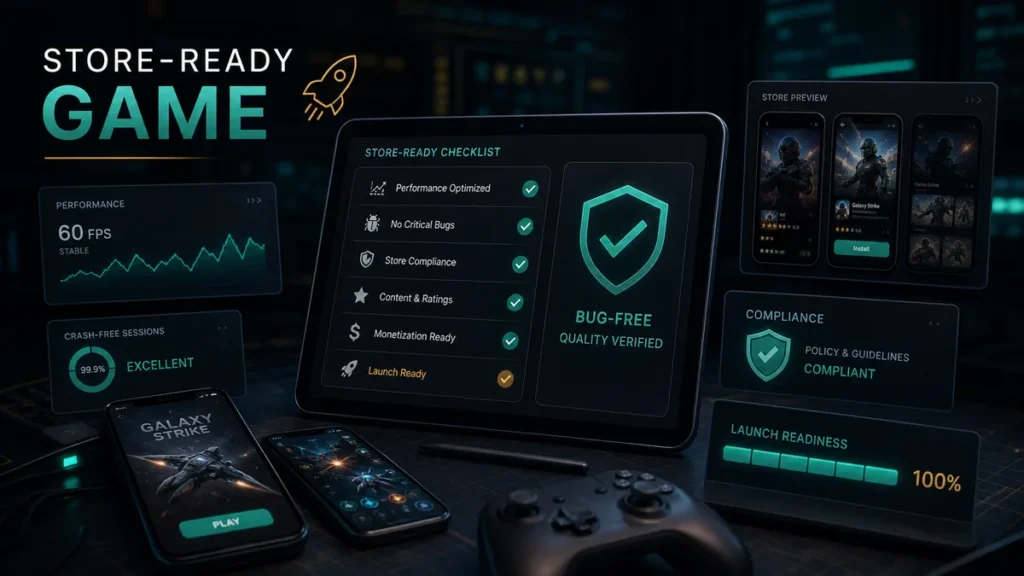
A mobile game is store-ready when it is stable, polished, compliant, and prepared for real users. This means the game must work well technically, present itself clearly in the store, and support post-launch tracking.
Store readiness is the difference between “the game works on our device” and “the game is ready for public release.”
1. Stable Gameplay
The game should run without frequent crashes, freezes, or broken states.
Test:
- Menu navigation
- Tutorial
- Core gameplay
- Level transitions
- Reward systems
- Ads
- Purchases
- Settings
- Save/load
- App pause/resume
Users expect smooth gameplay from the first session.
2. Device Compatibility
Android and iOS devices vary widely. Test on different:
- Screen sizes
- OS versions
- Performance levels
- Network conditions
- Orientations
- Storage conditions
A store-ready game should not only work on one test device.
3. Performance Optimization
Poor performance can quickly lead to uninstalls. Review:
- Loading time
- Frame rate
- Memory usage
- Battery usage
- Build size
- Asset compression
- Network calls
Optimization should happen during production, not only at the end.
4. Clear First-Time User Experience
The first session matters. Players should understand:
- What to do
- How to play
- What the goal is
- How rewards work
- Why they should continue
A confusing tutorial can reduce retention.
5. Store Assets
A store-ready game needs high-quality store assets:
- Icon
- Screenshots
- Feature graphic
- Preview video
- App title
- Short description
- Full description
- Category
- Tags
- Privacy policy
These assets affect discoverability and conversion.
6. Compliance Requirements
Stores require accurate information about:
- Data safety
- Privacy policy
- Target audience
- Content rating
- Ads
- Purchases
- SDKs
- Permissions
Compliance mistakes can delay approval.
7. Analytics and Crash Reporting
You need data after launch. Add tracking for:
- Installs
- Retention
- Session length
- Level progress
- Ad engagement
- Purchases
- Crashes
- Drop-off points
This helps improve the game after release.
8. Monetization Testing
If the game uses ads or purchases, test all monetization flows.
Check:
- Rewarded ads
- Interstitial timing
- Purchase success
- Purchase failure
- Restore purchases
- Pricing display
- Reward delivery
Broken monetization can damage both revenue and user trust.
9. Support and Update Plan
Players need support after launch. Prepare:
- Support email
- Bug tracking process
- First patch plan
- Review response plan
- Update roadmap
A game should be ready for live users before it goes live.
Conclusion
A store-ready mobile game is stable, tested, optimized, compliant, trackable, and supported by strong store assets. Preparing these elements before launch improves approval chances, user experience, and long-term growth.
CTA: FingerNic helps teams build store-ready games with development, QA, publishing, ASO, and launch support.
—