Introduction
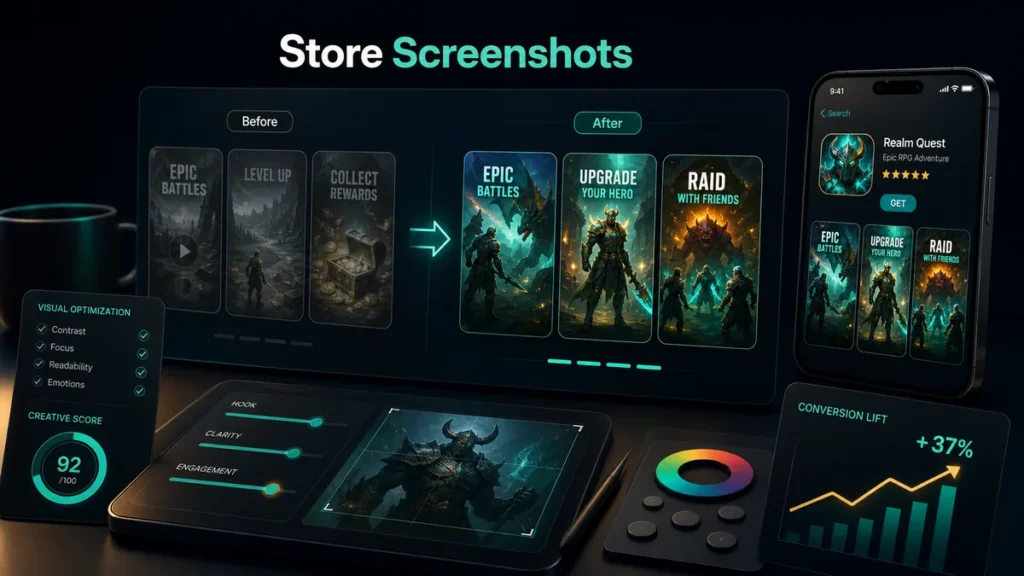
Store screenshots are often the first real preview users see before installing a game. They help users decide whether the game looks fun, clear, polished, and worth downloading.
Good screenshots can improve conversion. Weak screenshots can waste traffic.
1. Screenshots Tell the Game Story
A screenshot set should explain the game quickly.
Show:
- Core gameplay
- Main challenge
- Rewards
- Progression
- Game modes
- Visual style
- Unique feature
Users should understand the game without reading a long description.
2. The First Screenshot Is Critical
The first screenshot gets the most attention. It should show the strongest gameplay moment.
Avoid using only a logo or splash screen. Show the actual game experience.
3. Use Clear Captions
Short captions can help explain value.
Examples:
- Merge dinosaurs and win battles
- Solve colorful block puzzles
- Build your hotel empire
- Race through 3D tracks
- Complete daily challenges
Captions should be short and readable on mobile.
4. Show Real Gameplay
Users dislike misleading visuals. Use screenshots that match the real game.
Misleading screenshots may increase installs temporarily, but they can hurt retention and reviews.
5. Highlight Progression
Games become more attractive when users see growth.
Show:
- Unlocks
- Levels
- Rewards
- Upgrades
- Characters
- Worlds
- Leaderboards
Progression gives users a reason to install.
6. Design for Small Screens
Store screenshots are often viewed on phones. Make sure:
- Text is large enough
- Contrast is strong
- Key action is visible
- Layout is not crowded
- Captions are short
A screenshot that looks good on desktop may be unreadable on mobile.
7. Localize Screenshots
If targeting multiple countries, consider localized captions. Users respond better when screenshots speak their language.
Localization can improve conversion in key markets.
8. Test Different Creative Angles
Try screenshot variations:
- Gameplay-focused
- Reward-focused
- Character-focused
- Challenge-focused
- Relaxing/comfort-focused
- Competitive-focused
Different audiences respond to different angles.
Conclusion
Store screenshots are not just decoration. They are conversion assets. Strong screenshots show gameplay, explain value, build trust, and encourage users to install.
CTA: Need better store creatives? FingerNic can design screenshot sets, icons, and ASO assets for your game or app.
—