Introduction
Building a mobile app is more than designing screens and writing code. A successful app needs a clear product goal, user journey, scalable architecture, testing, analytics, and release planning.
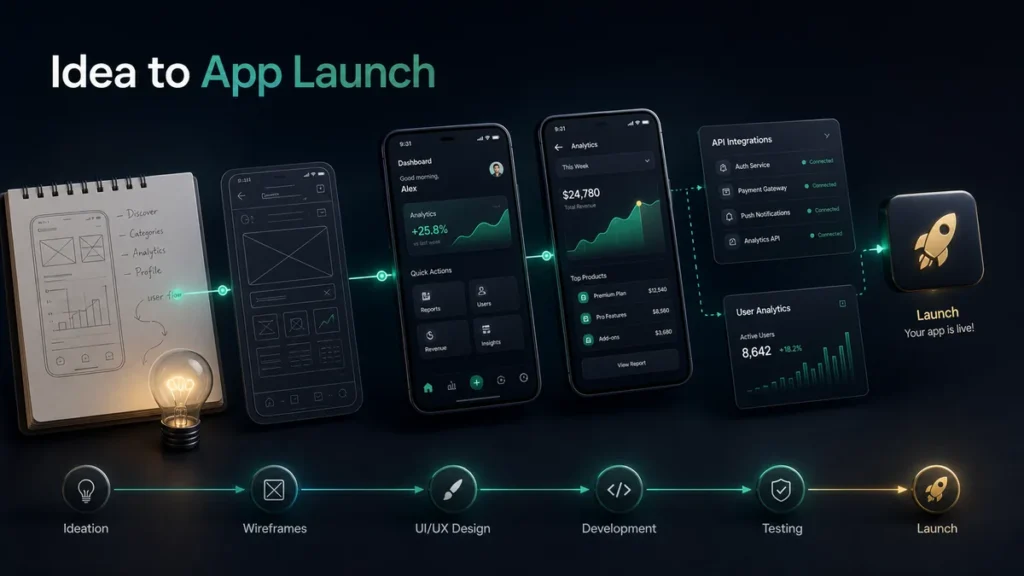
This guide explains how a mobile app moves from idea to launch.
1. Define the Product Goal
Start by identifying the problem the app solves.
Ask:
- Who is the user?
- What problem are we solving?
- What is the main use case?
- What action should users take repeatedly?
- What makes the app useful or different?
A clear goal keeps the project focused.
2. Plan the Core Features
Avoid building too much in the first version. Define the MVP features first.
Common mobile app features include:
- Login
- User profiles
- Dashboard
- Search
- Notifications
- Payments
- Subscriptions
- Chat
- Analytics
- Admin panel
The first version should include what is necessary to prove the product.
3. Design User Flows
User flows define how people move through the app.
Important flows may include:
- Sign up
- Onboarding
- Main action
- Purchase
- Settings
- Support
- Notifications
- Account management
Good user flows reduce confusion and improve retention.
4. Create UI Design System
A design system keeps the app consistent. It includes:
- Colors
- Typography
- Buttons
- Cards
- Forms
- Icons
- Spacing
- Navigation patterns
Consistency makes the app feel more professional.
5. Choose the Right Technology
The technology depends on goals, budget, and timeline.
Options include:
- Native iOS with Swift
- Native Android with Kotlin
- Cross-platform with Flutter
- Cross-platform with React Native
Cross-platform development is often useful when launching on both iOS and Android.
6. Build the Backend and Integrations
Many apps need backend systems such as:
- APIs
- Authentication
- Database
- Admin dashboard
- Payment gateway
- Push notifications
- Analytics
- File storage
Reliable backend architecture supports growth.
7. Test the App Properly
Testing should cover:
- Functional behavior
- UI responsiveness
- Performance
- Security basics
- API handling
- Payment flows
- Push notifications
- Offline states
- Device compatibility
Testing protects the user experience.
8. Prepare Store Submission
Before release, prepare:
- App name
- Description
- Screenshots
- Icon
- Privacy policy
- App category
- Content rating
- Data safety details
- Support contact
- Test account, if required
Store preparation should not be left until the last day.
9. Launch and Monitor
After launch, monitor:
- Installs
- Crashes
- User retention
- App speed
- Reviews
- Feature usage
- Conversion
- Support requests
Early data helps guide updates.
10. Improve After Launch
A good app keeps improving. Plan:
- Bug fixes
- UI improvements
- Feature updates
- Performance optimization
- Conversion improvements
- Retention campaigns
Launch is the beginning of product growth.
Conclusion
Mobile app development requires product planning, design, engineering, testing, launch preparation, and ongoing improvement. A strong process helps turn an idea into a reliable product.
CTA: Have an app idea? FingerNic can help plan, build, launch, and scale your mobile app.
—