Introduction
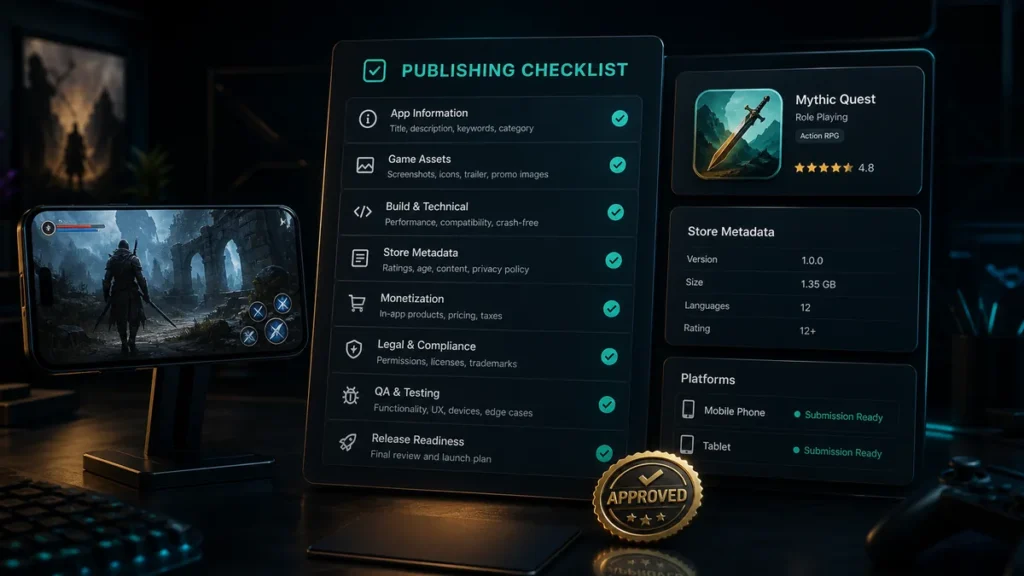
Publishing a game is not just a final upload step. It is a structured process that includes store preparation, compliance, creative assets, metadata, testing, analytics, and launch planning.
A strong publishing checklist helps reduce delays, avoid rejection, and improve store conversion.
1. Confirm the Build Is Stable
Before publishing, the game build should be tested for:
- Crashes
- Freezes
- Performance drops
- Broken UI
- Audio issues
- Save/load problems
- Ad integration issues
- In-app purchase issues
- Internet connection behavior
- Device compatibility
A polished build protects ratings and player trust.
2. Prepare Store Metadata
Every store needs clear metadata. Prepare:
- Game title
- Short description
- Full description
- Keywords, where applicable
- Category
- Tags
- Developer name
- Support email
- Website
- Privacy policy URL
Metadata should be accurate, readable, and aligned with the actual gameplay.
3. Create High-Quality Visual Assets
Store visuals often decide whether users install. Prepare:
- App icon
- Screenshots
- Feature graphic
- Preview video
- Promotional banners, if needed
- Localized images for key regions
Use real gameplay and show the strongest moments early.
4. Complete Privacy and Data Requirements
Games often use analytics, ads, crash reporting, or monetization SDKs. Make sure the privacy policy and store declarations are accurate.
Check:
- Data collection
- Device identifiers
- Analytics SDKs
- Ad networks
- In-app purchases
- Children’s privacy
- User consent requirements
- Third-party services
Incorrect data declarations can cause compliance issues.
5. Set Content Rating Correctly
Stores require content rating information. Be accurate about:
- Violence
- Ads
- Purchases
- User-generated content
- Data collection
- Age suitability
- Gambling-like mechanics
- Online interactions
Wrong ratings can lead to rejection or removal.
6. Test Monetization
If the game includes ads or purchases, test them before launch.
Check:
- Rewarded ads
- Interstitial ads
- Banner ads
- In-app purchases
- Subscription flows
- Purchase restoration
- Failed payment handling
- Ad frequency
- User experience impact
Monetization should not damage gameplay.
7. Set Up Analytics and Crash Reporting
Publishing without tracking is risky. Add analytics for:
- Retention
- Level progress
- Tutorial completion
- Session length
- Ad engagement
- Purchase conversion
- Crashes
- Store campaign sources
These insights guide post-launch optimization.
8. Prepare Support Channels
Players need a way to report issues. Prepare:
- Support email
- FAQ page
- Contact form
- Store support URL
- Bug report process
Fast support helps protect reviews.
9. Plan Soft Launch or Staged Rollout
A staged rollout allows you to test real-world performance before full launch.
Use soft launch to review:
- Retention
- Monetization
- Technical issues
- Store conversion
- User reviews
- Gameplay balance
This gives the team time to improve.
10. Prepare Post-Launch Updates
The first release should already have a post-launch plan.
Plan:
- Bug fix update
- Content update
- Store listing test
- ASO improvements
- Player feedback review
- Event calendar
- Monetization tuning
Publishing is the beginning of the growth cycle.
Conclusion
A complete publishing checklist helps avoid rushed launches and improves the chance of store success. The best results come from treating publishing as a strategic phase, not a last-minute task.
CTA: Need help preparing a game for store release? FingerNic can support publishing, compliance, ASO, and launch management.
—